Timeguard FST17A Manuale Utente
Navigare online o scaricare Manuale Utente per Orologio Timeguard FST17A. Timeguard FST17A User Manual Manuale Utente
- Pagina / 12
- Indice
- SEGNALIBRI
Valutato. / 5. Basato su recensioni clienti

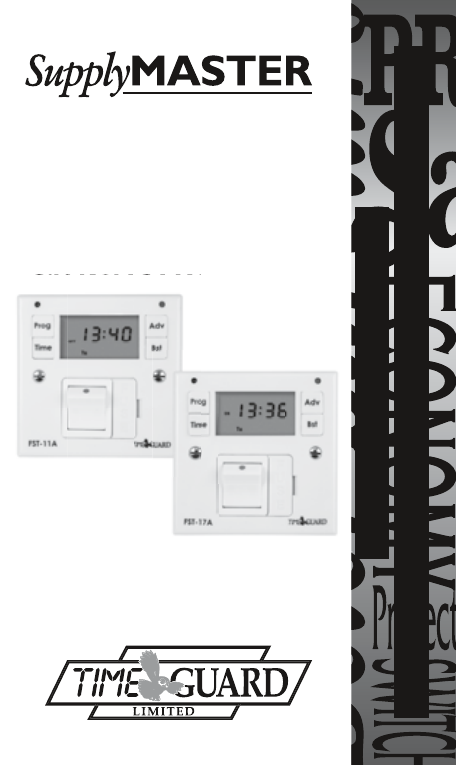
INSTALLATION & OPERATING
INSTRUCTIONS
FUSED SPUR
TIMESWITCH
Cat No. FST11A – 24 Hour
Cat No. FST17A – 7 Day
Installation & Operating
Instructions
Cat No. FST17A – 7 Day
11. Specifications
Sommario
Pagina 1 - TIMESWITCH
INSTALLATION & OPERATINGINSTRUCTIONS FUSED SPUR TIMESWITCH Cat No. FST11A – 24 HourCat No. FST17A – 7 DayInstallation & OperatingInstructionsC
Pagina 2 - Contents:
9. Programming the ON/OFF Times – FST11A only10. Operating Mode10.1 Override until Next Program Change10.2 1 and 2 Hour BoostThe FST11A is similar
Pagina 3 - 3. Applications
FUSED SPUR TIMESWITCH Cat No. FST11A – 24 HourCat No. FST17A – 7 Day Installation & Operating Instructions11. SpecificationsThis product complie
Pagina 4 - 4. Installation
HELPLINE020-8450-0515or email [email protected] a product brochure please contact:Timeguard Ltd.Victory Park, 400 Edgware Road,London NW2 6ND
Pagina 5
Status LEDReset button (recessed)Sets programmesSets date and timeDisplay (back lit for 30 seconds when any button is pressed)Double pole switchBS 13
Pagina 6
2. BatteryThe unit has an in-built non-replaceable, rechargeable battery, which will keep the programmed times during power down situations for up to
Pagina 7 - FST17A only
4. Installation5. FuseUse the appropriate BS 1362 fuse for the load. The unit is supplied with a suitable 13A fuse.The unit is designed to replace an
Pagina 8
7. Setting the Date and Time of Day7.1 Initially Setting the Date and Time of DayPress the ‘Time’ button and hold for approx. 2 seconds. Whilst holdin
Pagina 9
Press the ‘Time’ button and the day digits will flash:–Use ‘Adv’ or ‘Bst’ to set the day.Press the ‘Time’ button and the hour digits will flash:–Use ’
Pagina 10 - 10. Operating Mode
7.2 Modifying the Date and Time of DayNormally the only change required will be to the time of day minutes, in which case press and hold ‘Time’ for 2
Pagina 11
Once the desired day grouping is selected, press ‘Prog’ to move onto programming ON/OFF times.Display will show prog 1 ON, and the hour digits flashin
Pagina 12 - 020-8450-0515
Press ‘Prog’ and hold for approx. 2 seconds. Whilst holding, the word ‘HOLD’ will appear in the top left hand corner of the display. After 2 seconds
Prodotti e manuali riguardandi Orologio Timeguard FST17A
Orologio Timeguard TS900B Manuale Utente
 (6 pagine)
(6 pagine)
Orologio Timeguard NTM01 Manuale Utente
(6 pagine)
(6 pagine)
Orologio Timeguard NTM02 Manuale Utente
(12 pagine)
(12 pagine)
Orologio Timeguard TR 672 top Manuale Utente
(12 pagine)
(12 pagine)
Orologio Timeguard EMU17 Manuale Utente
(7 pagine)
(7 pagine)
Orologio Timeguard EMU56 Manuale Utente
(12 pagine)
(12 pagine)
Orologio Timeguard PB05 Manuale Utente
(8 pagine)
(8 pagine)
Orologio Timeguard EL17 Manuale Utente
(12 pagine)
(12 pagine)
Orologio Timeguard TR 608 top2 Manuale Utente
(24 pagine)
(24 pagine)
Orologio Timeguard TR 622 top2 Manuale Utente
(14 pagine)
(14 pagine)
Orologio Timeguard LUNA 108 Manuale Utente
 (1 pagine)
(1 pagine)
Orologio Timeguard LUNA 109 Manuale Utente
(8 pagine)
(8 pagine)
Orologio Timeguard LUNA 110 Manuale Utente
(8 pagine)
(8 pagine)
Orologio Timeguard TR 644 top2 Manuale Utente
(36 pagine)
(36 pagine)
Orologio Timeguard LUNA 111 top2 Manuale Utente
(14 pagine)
(14 pagine)
Orologio Timeguard E169S Manuale Utente
(1 pagine)
(1 pagine)
Orologio Timeguard ELU56 Manuale Utente
(2 pagine)
(2 pagine)
Orologio Timeguard E269H Manuale Utente
(2 pagine)
(2 pagine)
© 2020, manymanuals.it. Tutti i diritti riservati | 0.029 s |
 Manymanuals.com
 Manymanuals.de
 Manymanuals.fr
 Manymanuals.it
 Manymanuals.pl
 Manymanuals.cz
 Manymanuals.es
 Manymanuals-pt.com
Commenti su questo manuale